
The Participatory Culture Foundation just released version 2.0 of Miro, an open-source web video application (formerly known as Democracy Player).
If you’re not familar with Miro, it basically allows you to download and categorize web videos. Sure, it has a stable of competitors (like iTunes, Boxee and VideoDrive), however, Miro 2.0 is available for both Windows and Mac users…and…really stands out when it comes to video podcasts.
For example, with it’s new, elegant interface, a couple clicks is all it takes to instantly find or subscribe to your favorite video podcasts, either through the Miro Guide or by entering the feed URL to a podcast:

Once you’ve found or selected a video podcast feed, Miro will automatically download new episodes for that podcast once they become available. It also allows you to playback the videos in full-screen:
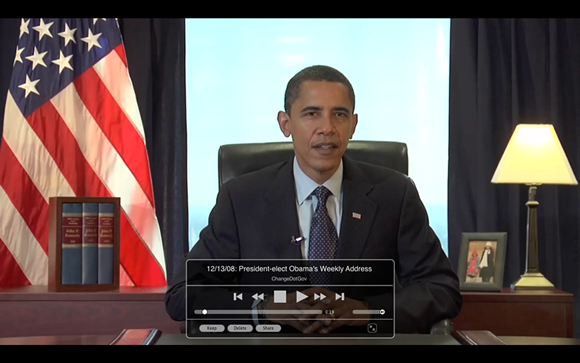
“So what” you may be wondering…iTunes already allows you to do this too. And you’re right, it does. However, Miro 2.0 just seems to do it a little more elegantly. In addition, Miro organizes all videos on your computer (not just iTunes compatiable videos), which can be a big time-saver if you have lots of videos on your hard drive in lots of different formats (like me).
One thing Miro won’t do however, is transfer those videos to a portable media player…you’ll need to stick with an app like iTunes if you want to do that.
So in a nutshell, if you subscribe to a lot of video podcasts…prefer to watch them directly on your computer…and are less than thrilled with the iTunes interface…then Miro 2.0 is definitely a free application you’ll want to check out.
In my opinion, it’s slick, simple and does video organization very well. In fact, I subscribed to several new video podcasts within the first 10 minutes of playing with it…just because, well, it was kind of fun.
You can learn more about Miro 2.0 and try it out yourself by clicking here.